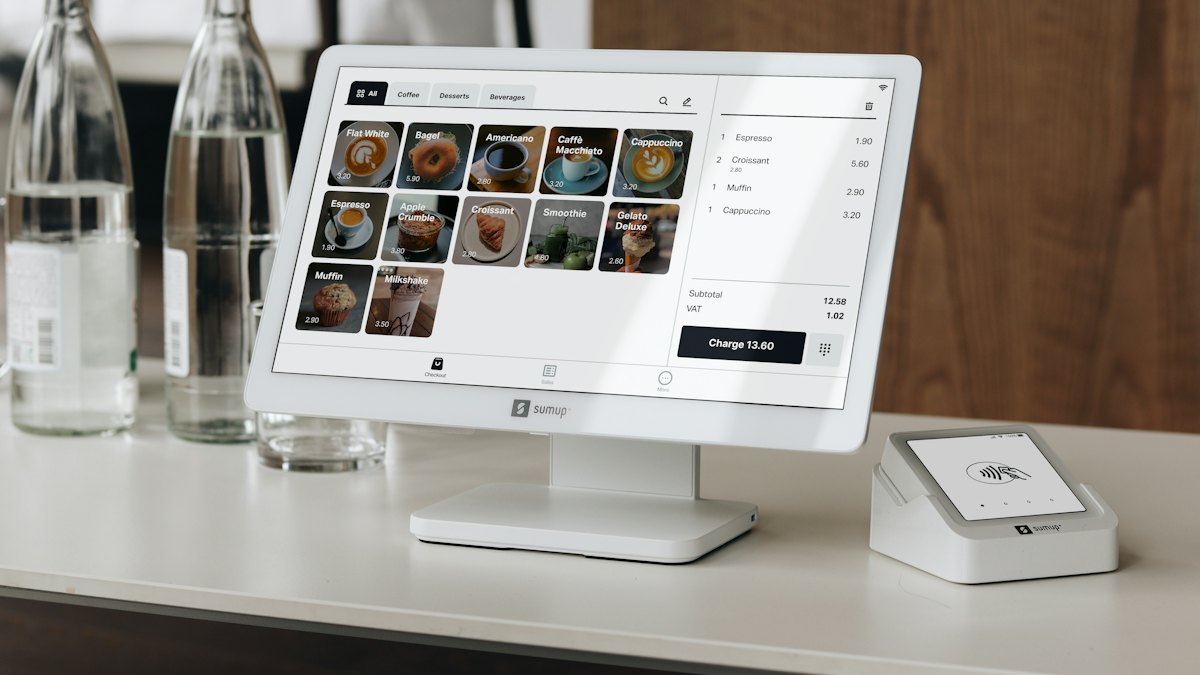
If your business rings up sales on a point-of-sale (POS) system or a cash register machine (CRM), the Bureau of Internal Revenue (BIR) treats that machine as an invoicing system. Every terminal needs a Permit to Use (PTU) before it issues a single invoice, and every registered machine has to report its sales to the BIR every month through the eSales system.
This guide is for retail stores, restaurants, cafes, salons, pharmacies, franchisees and any business that issues machine-printed invoices at a counter. It's also for the finance staff and bookkeepers who have to keep those machines compliant after opening day.
You'll get the whole picture as of October 2026: which rules apply, how POS invoicing fits with the Ease of Paying Taxes (EOPT) Act and the e-invoicing rollout, how to get a PTU through the BIR's eAccReg system, what to file each month, how to move or retire a machine, what it costs and what happens if you get it wrong.
Key takeaways
- Every POS or CRM terminal needs its own BIR Permit to Use (PTU) before you use it. For CRM and POS machines, only your accredited software supplier's eAccReg account can file the PTU application for you. The BIR's 2026 Citizen's Charter lists a 2-day processing time and no fee.
- The software must be BIR-accredited first. Under Revenue Memorandum Order (RMO) No. 24-2023, accreditation is free. It takes up to 20 working days after a complete application and system demonstration, or 7 working days for a reseller of an already-accredited system. If you built your own POS, you count as a "pseudo supplier" and must get it accredited yourself.
- PTUs no longer expire. Revenue Regulations (RR) No. 6-2022 removed the old five-year validity. A PTU stays valid unless the BIR revokes it, for example for tampering or for a major upgrade made without approval.
- eSales reports are due monthly, per machine, even with zero sales. Under RMO No. 12-2012, the report is due on or before the 8th day of the following month if the last digit of your 9-digit TIN is even, and on or before the 10th if it's odd.
- Missing eSales reports costs ₱1,000 per machine per month as a compromise penalty under RMO No. 21-2015. Three consecutive months of non-submission can escalate to machine inspection and then revocation of the PTU.
- Moving, replacing or retiring a machine requires a PTU cancellation. You notify your Revenue District Office (RDO) in writing within 5 days of the machine's last use. The Citizen's Charter lists a 7-day processing time and no fee.
- New invoice deadlines are coming. Under RMC No. 112-2026, POS systems not yet covered by mandatory e-invoicing have until March 31, 2027 to add a creditable withholding tax (CWT) field, and all CRMs must generate it from April 1, 2027.
Overview
POS and CRM compliance sits at the intersection of three sets of rules.
- Accreditation of the machine or software. The BIR checks that a brand, model or software version meets its technical specifications: an accumulated grand total, tamper-free memory, an e-journal, sales readings, backend reports and the right invoice format. This is the supplier's job, and RMO No. 24-2023 governs it.
- Registration of each machine you use. You, the taxpayer-user, get a PTU for each terminal at each branch. Each PTU comes with a Machine Identification Number (MIN), which you'll use for eSales reporting.
- Ongoing reporting and invoicing. You report each machine's sales monthly through eSales, keep Z-readings and backend reports, and make sure every invoice the machine prints meets the current invoicing rules under the EOPT Act.
How POS invoicing fits with the EOPT Act
The EOPT Act (Republic Act No. 11976) made the invoice the single primary document for both goods and services. RR No. 7-2024 implemented this from April 27, 2024. RR No. 11-2024 then let CRM, POS and e-receipting users rename "Official Receipt" to "Invoice" without notifying their RDO. The BIR treats that change as a minor enhancement: your supplier doesn't need reaccreditation and you don't need a new PTU. Machines had to be reconfigured by December 31, 2024, with extensions of up to six months if approved by the Regional Director. If you're still unclear on the switch, see our guide to the shift from Official Receipts to Invoices.
Issuing a machine-generated "Official Receipt" after December 31, 2024 (or after your reconfiguration, if earlier) counts as failure to issue an invoice. RR No. 11-2024 says this carries a fine of ₱1,000 to ₱50,000 and imprisonment of two to four years under Section 264(a) of the Tax Code.
Under Section 237 of the Tax Code, as amended by the EOPT Act, you must issue an invoice for each sale of ₱500 or more. Below that amount, you may issue one invoice for the day's aggregate small sales, if the total is at least ₱500. VAT-registered sellers must issue an invoice for every sale, whatever the amount, and any seller must issue one when the buyer asks.
How POS fits with the e-invoicing rollout
RMC No. 98-2026 requires covered taxpayers to issue electronic invoices by December 31, 2026. The covered groups are e-commerce sellers (except micro taxpayers), taxpayers under the Large Taxpayers Service, large taxpayers under the EOPT Act, and taxpayers using a computerized accounting system (CAS) or computerized books with electronic invoicing. A neighborhood store with a POS isn't automatically on that list. If your business falls into one of those groups, though, your POS invoices have to meet the e-invoice rules.
That matters because RMC No. 98-2026 says a printed POS invoice is not an electronic invoice unless the system can also issue it electronically to the buyer and transmit the sales data to the BIR. Otherwise, it's a "system-generated invoice" under the non-electronic rules. See our guide to the December 31, 2026 e-invoicing deadline.
The circular also keeps electronic sales reporting under Section 237-A separate from e-invoicing. That reporting will apply only once the BIR issues the implementing guidelines. Until then, eSales remains the monthly reporting channel for CRM and POS users.
Agencies and systems at a glance
| Agency or system | What it gives you | Who deals with it |
|---|---|---|
| BIR Online Registration and Update System (ORUS) | Certificate of Registration (COR, Form 2303) for the head office and each branch | You, before anything else |
| BIR eAccReg System | Supplier accreditation (Certificate of Accreditation) and your PTU and MIN per machine | Supplier files accreditation and PTU; you enroll and print the PTU |
| Your RDO or Large Taxpayers Office | Approval of eAccReg enrollment, eSales user enrollment, PTU cancellations and machine inspections | You |
| BIR eSales System | Sales Report Number (SRN) for each monthly report | You or your authorized user |
| Accredited POS supplier | Accredited hardware and software, the PTU application, configuration and updates | Supplier |
| Mall or lessor (if applicable) | Mall integration that sends sales data to the lessor | You and your supplier (not a BIR requirement) |
Computerized accounting systems follow a separate registration track. See our companion guide to registering a computerized accounting system (CAS). If you also keep manual or loose-leaf records, see loose-leaf books of accounts.
Timeline
Here's a realistic timeline for a new business putting one or more accredited POS terminals into service, counted from the day you choose a supplier. It assumes your BIR registration (COR) is already done.
- Choose an accredited supplier and confirm accreditation1–5Check the supplier's Certificate of Accreditation and version
- Notarize sworn declaration and enroll in eAccReg2–4Charter: about 1 hr 40 min once filed at your RDO
- Supplier files PTU application in eAccReg4–6Charter: 2 days, no fee
- Print PTU, post it at the terminal, configure invoices6–7Invoice header, MIN, PTU number, supplier details
- Enroll eSales authorized user6–10Notarized letter to RDO, then online enrollment
- Go live and issue first invoice8Only after the PTU is issued
- First monthly eSales report10–30Due the 8th or 10th of the following month
- If you built your own POS: accreditation2–25Up to 20 working days after demo and complete documents
Scale: working days
The timeline assumes complete documents and a supplier that already holds a valid accreditation for the exact software version you'll use. RDO workloads vary, so allow extra time for eSales user enrollment and for branches registered under a different RDO.
Requirements
For your BIR registration (prerequisite)
- [ ] Certificate of Registration (Form 2303) for the head office and for each branch that will use a machine
- [ ] Registered books of accounts, including a sales book or the backend reports your system produces
- [ ] Registered business name and address matching what will print on the invoice header
For eAccReg account enrollment (taxpayer-user)
Per the BIR's 2026 Citizen's Charter:
- [ ] Duly notarized Sworn Declaration (the pro-forma is Annex "A" of RMO No. 24-2023)
- [ ] If you file through a representative: a Special Power of Attorney (individuals) or a Board Resolution, Secretary's Certificate or Written Resolution for a One Person Corporation (non-individuals), plus government-issued IDs of the signatory and the representative
For the Permit to Use (PTU)
- [ ] No documents are listed in the Citizen's Charter for the taxpayer. Your supplier files the application online in eAccReg on your behalf.
- [ ] Give your supplier your TIN, branch code, registered name and address, and the machine details (brand, model, serial number, software version)
For accreditation (supplier, or you if your POS is in-house)
- [ ] eAccReg enrollment, then an online Application for Accreditation with the RMO No. 24-2023 documentary checklist filed at the head office RDO
- [ ] Notarized Sworn Statement attesting to the required features (grand total, tamper-free memory, e-journal, sales readings, backend reports, data retention and others)
- [ ] System demonstration to the BIR Technical Working Group, or a reseller Sworn Statement if the identical system is already accredited
For eSales enrollment
- [ ] Notarized letter from the owner, president or authorized officer naming the authorized eSales user, submitted to your RDO or Large Taxpayers Office (RMO No. 12-2012)
- [ ] One user for the head office and one per branch, unless the RDO approves more
For PTU cancellation (transfer, replacement, retirement or closure)
Per the 2026 Citizen's Charter and RMC No. 69-2020:
- [ ] Letter requesting cancellation, stating the reason, permit number, MIN, machine type, serial number, brand and model, software and version, and grand accumulated sales as of the last day of use
- [ ] Notarized Sworn Statement of the machine's readings, if applicable
- [ ] Original PTU and original decal
- [ ] Z-reading (POS) or audit tape (CRM) as of the last day of use, showing the reset counter and Z-counter
- [ ] Backend report (POS) or cash register sales book page (CRM) as of the last day of use
- [ ] Reprint of the last invoice generated
- [ ] For new or upgraded software on the same machine: the Z-reading showing the initial reading of the new software
Step-by-step procedure
Step 1: Confirm your BIR registration is complete
- What to do: Make sure your head office and every branch that will use a machine has its own COR (Form 2303) through ORUS. Your registered name, business style and address are what the machine will print.
- Where: ORUS (orus.bir.gov.ph) or your RDO.
- What you get: COR and registered books.
- Time: Done before the POS process starts.
Step 2: Choose an accredited POS or CRM supplier
- What to do: Ask the supplier for its Certificate of Accreditation and check that it covers the exact brand, model and software version you'll install. RMO No. 24-2023 ties each Accreditation Number to a specific machine brand, model, system or software version. Ask whether the system can add the CWT field required by RMC No. 112-2026, and whether it can support e-invoicing if you're covered by RMC No. 98-2026.
- Where: Supplier; the BIR posts accredited sales machines and software on its website.
- What you get: A quotation and the supplier's accreditation details.
- Time: 1 to 5 working days, depending on how many vendors you compare.
If your developer built a custom POS just for you, you're a "pseudo supplier" under RMO No. 24-2023. You must get that software accredited before it can be registered, which adds a system demonstration and up to 20 working days.
Step 3: Enroll in the eAccReg system
- What to do: Submit a notarized Sworn Declaration (Annex "A" of RMO No. 24-2023) to your RDO or Large Taxpayers Office. You'll get an email once your enrollment is approved or denied.
- Where: RDO registration counter, then eAccReg at eaccreg.bir.gov.ph.
- What you get: An eAccReg account.
- Time: The Citizen's Charter lists 1 hour and 40 minutes of processing after filing. There's no fee.
Step 4: Have your supplier file the PTU application
- What to do: Your supplier applies online for a PTU for each terminal, under your TIN and branch code. Under the Citizen's Charter, only the software supplier or provider account can apply for a CRM or POS PTU. Your own account can apply only for a Special Purpose Machine (SPM), such as an ordering kiosk or price checker that doesn't issue sales invoices.
- Where: eAccReg.
- What you get: An approved PTU and a Machine Identification Number (MIN) per machine.
- Time: The Citizen's Charter lists 2 days in total, with no fee.
Step 5: Print and post the PTU, then configure the invoice
- What to do: Print the PTU from your eAccReg account (the supplier can't print it for you) and display it near the terminal. Check a test invoice against RMO No. 24-2023 and RR No. 7-2024. It should show your registered name and business style, address, "VAT REG TIN" or "NON-VAT REG TIN" with branch code, MIN, machine serial number, an invoice number of at least six digits, date, item details, a VAT breakdown, and the senior citizen, PWD, solo parent or athlete discount fields if you give those discounts. At the bottom, it needs the supplier's name, address and TIN, the accreditation number and date, and your PTU number and date issued.
- Where: At the store.
- What you get: A compliant first invoice.
- Time: Same day to 1 working day.
Step 6: Enroll your eSales user
- What to do: Submit the notarized authorized-user letter to your RDO. Once it's approved, enroll the user online with your TIN, branch code and user details.
- Where: RDO, then the eSales system through the BIR website's eServices.
- What you get: eSales login credentials.
- Time: Varies by RDO. Budget about a week.
Step 7: Go live and keep daily records
- What to do: Start issuing invoices only after the PTU is issued. Run an X-reading at each cashier shift change and a Z-reading at the end of each business day. Keep the e-journal and backend reports.
- Where: At the terminal and in your back office.
- What you get: The daily audit trail the BIR will ask for.
- Time: Ongoing.
Step 8: File your first eSales report
- What to do: Report each machine's sales for the month: MIN, month and year, a VATable, zero-rated, VAT-exempt and percentage-tax breakdown if the machine can segregate them, and the last invoice number for the month. Use online encoding for a few machines, or file upload for many.
- Where: eSales system.
- What you get: A Sales Report Number (SRN) as proof of filing.
- Time: By the 8th (even TIN) or 10th (odd TIN) of the following month, up to 11:59 pm BIR time.
Estimated costs and budget
BIR services for POS compliance are free. The real costs are the machine, the software and the people who keep it running. Peso figures for hardware and software are estimates from vendor pricing as of October 2026 and vary widely.
| Item | Agency | Estimated cost (₱) | Notes or basis |
|---|---|---|---|
| eAccReg account enrollment | BIR | 0 | Citizen's Charter 2026: no processing fee |
| Supplier accreditation (or in-house POS accreditation) | BIR | 0 | RMO No. 24-2023: accreditation is free of charge |
| Permit to Use per machine | BIR | 0 | Citizen's Charter 2026: no fee. No documentary stamp tax is listed for this service. |
| PTU cancellation (transfer, replacement, retirement) | BIR | 0 | Citizen's Charter 2026: no fee |
| eSales reporting | BIR | 0 | Online filing |
| Notarization of sworn declaration and letters | Notary public | 200–500 per document (estimate) | Varies by notary and city |
| POS hardware per terminal (tablet or PC, receipt printer, cash drawer) | Supplier | 15,000–50,000 (estimate) | Vendor guides cite high-end hardware from about ₱21,339 |
| POS software subscription | Supplier | 1,500–9,000 per month (estimate) | Published plans range from about ₱1,874 to ₱8,999 a month |
| Setup, training, PTU filing or mall integration | Supplier | 0–5,000 per terminal (estimate) | Some vendors bundle these; ask for a written quote |
| Total, first year, one terminal | About 33,000–165,000 (estimate) | Low: entry hardware and ₱1,500/month. High: ₱50,000 hardware, ₱9,000/month and setup fees. |
Budget to prepare. Government fees for POS registration are zero, so don't pay anyone who claims a "BIR fee" for the PTU. Most of your budget goes to the hardware and the software subscription, which recur each year per terminal. Set aside smaller amounts for notarization, any mall integration your lease requires, and optional professional fees if you want an accountant to handle enrollment, eSales filing and cancellations. Remember to budget for system updates too: the CWT field and, for covered taxpayers, e-invoicing may come with upgrade charges from your vendor.
Ongoing compliance
Daily: X-readings, Z-readings and the e-journal
- X-reading. A mid-day or end-of-shift reading of sales so far. It doesn't reset the day's totals, which makes it the tool for cashier accountability at shift changes.
- Z-reading. The end-of-day reading. It closes the day, shows the beginning and ending invoice numbers, the day's sales breakdown and the accumulated grand total, and increments the Z-counter. You'll need Z-readings for audits and for any PTU cancellation.
- E-journal. The machine's electronic copy of every invoice, void, refund, X-reading and Z-reading in chronological order. RMO No. 24-2023 requires it for CRM and POS accreditation.
Never reset, reformat or reinstall a machine to "clean up" its data. The accumulated grand total and the reset counter are exactly what BIR examiners compare.
Monthly: eSales
- File one report per machine, including standby, backup, defective or idle units, until the PTU and MIN are cancelled (RMO No. 12-2012).
- File even when there were no sales.
- If you replaced a machine tape with a manual invoice (for example, because the buyer needed details the POS couldn't print), deduct those sales from the eSales report and record the adjustment in the backend report or CRM sales book. RMO No. 24-2023 notes this rule comes from RR No. 16-2018.
- You can amend a month's report up to three times. More than that can trigger a validation or inspection.
- If eSales is down on the due date, RMO No. 12-2012 lets you submit a soft copy to your RDO within 3 days after the deadline.
- If the deadline falls on a non-working day, it moves to the next working day.
Monthly and quarterly: books and returns
- Reconcile eSales totals against your sales book, backend reports and VAT or percentage tax returns. The BIR runs data-matching between eSales, returns and machine records (RMO No. 21-2015 is one example).
- Keep the backend reports the accreditation requires, including the sales summary and the discount books for senior citizens, PWDs, solo parents and national athletes and coaches where applicable.
- Keep books and accounting records for five years under Section 235 of the Tax Code, as amended by the EOPT Act.
When something changes
| Situation | What to do |
|---|---|
| Transfer a machine to another branch | Cancel the PTU at the old location (inspection is mandatory), then get a new PTU for the new branch |
| Replace or retire hardware | Cancel the PTU; for a change of hardware, ask the RDO to send a representative to witness disposal (RMO No. 12-2012) |
| Major software upgrade or new software on the same machine | Cancel and re-register; inspection may be waived for chain-wide rollouts under RMC No. 69-2020 conditions |
| Minor enhancement (screen layout, invisible security fix) | No reaccreditation, but inform the RDO (RMO No. 24-2023) |
| Adding the CWT field under RR No. 6-2026 | Treated as a Limited System Change under RMC No. 112-2026; no new PTU, but meet any notification rules |
| Closing a branch or the business | Cancel every PTU first, as part of the closure process |
| Supplier's accreditation is revoked | Your PTU is not automatically revoked unless you committed the violation (RMO No. 24-2023) |
Deadlines you should know (as of October 2026)
| Date | What happens |
|---|---|
| 8th or 10th of every month | eSales report for the previous month (even or odd last TIN digit) |
| December 31, 2026 | Mandatory e-invoicing for taxpayers covered by RMC No. 98-2026 |
| March 31, 2027 | POS and other systems not yet under mandatory e-invoicing, and all CRMs, must support the CWT field (RMC No. 112-2026) |
| April 1, 2027 | Every CRM invoice must be able to show "Less: Withholding Tax" and the amount |
For the CWT details, see our guide to CWT on invoices under RR 6-2026.
Penalties and common mistakes
- Missed eSales report: ₱1,000 per machine for each month not submitted (RMO No. 21-2015). Under RMO No. 12-2012, three consecutive missed months lead to a reminder letter, then machine inspection or post-evaluation, then revocation of the PTU and cancellation of the MIN. Paying the penalty doesn't excuse you from filing.
- Using a machine without a PTU, or an invoice that isn't valid: This is treated as failure to issue a proper invoice. It exposes you to compromise penalties under the BIR's schedule, disallowed input VAT for your buyers, and the Section 264 fines described above. Under Section 45 of the EOPT Act, micro and small taxpayers get at least a 50% reduction in compromise penalties for violations of Sections 113, 237 and 238.
- Sales suppression software: Under Section 264-B of the Tax Code (added by the TRAIN law), buying, using or maintaining software that hides or deletes sales records carries a fine of ₱500,000 to ₱10,000,000 and imprisonment of two to four years.
- Electronic sales reporting under Section 237-A: Once the BIR implements this system for covered taxpayers, failure to transmit carries a daily penalty under Section 264-A of 0.1% of annual net income or ₱10,000, whichever is higher. As of October 2026, RMC No. 98-2026 says these reporting rules apply only after the BIR issues implementing guidelines.
- Common mistakes: Using a new branch's terminal before its PTU is issued, skipping eSales for idle machines, moving terminals without cancelling the PTU, and losing the last-day Z-reading.
A machine you stopped using is still "registered" until its PTU is cancelled. Until then, you must keep filing eSales for it every month.
Advantages of a BIR-registered POS
- Faster, cleaner invoicing. The machine prints a compliant invoice with every required field, which avoids the errors common with manual booklets.
- No printing permits to manage. You don't need an Authority to Print for machine-generated invoices, and the PTU doesn't expire.
- Better controls. X-readings, Z-readings and the e-journal give you cashier accountability and a reliable audit trail.
- Easier bookkeeping. Backend reports feed your sales book, VAT returns and discount reports directly.
- A path to e-invoicing. Many accredited systems can be upgraded to issue electronic invoices as the BIR expands the mandate.
Disadvantages and trade-offs
- Supplier dependence. Only your supplier can file the PTU, and changing vendors means cancelling and re-registering every terminal.
- Monthly reporting per machine. eSales applies to every machine, even idle ones, and the penalties add up per machine per month.
- Change friction. Moving, replacing or upgrading a machine requires a cancellation, often with an inspection.
- Recurring cost. Subscriptions and upgrade charges recur, especially as the BIR adds requirements like the CWT field.
- Data integrity risk. A reformat, crash or unsupported reinstall can break the grand total and invite scrutiny.
Frequently asked questions
Do I need a Permit to Use for every POS terminal?
Yes. Each CRM, POS terminal or other sales machine that issues invoices needs its own PTU and Machine Identification Number at the branch where it's used. A Special Purpose Machine that doesn't issue sales invoices, such as an ordering kiosk or price checker, still needs a PTU, but it doesn't need accreditation.
How long does it take to get a BIR Permit to Use for a POS?
The BIR's 2026 Citizen's Charter lists 2 days for the PTU, once your supplier files it in eAccReg. Before that, you need eAccReg enrollment, which takes about 1 hour and 40 minutes once filed. In practice, plan for about one to two weeks from choosing a supplier to going live, longer if your software still needs accreditation.
How much does the BIR charge for POS registration?
Nothing. RMO No. 24-2023 says accreditation is free. The Citizen's Charter lists no fee for eAccReg enrollment, the PTU or a PTU cancellation. Your costs are the hardware, the software, notarization and any vendor setup fees.
When is the BIR eSales report due?
The report for each month is due on or before the 8th of the following month if the last digit of your 9-digit TIN is even, and on or before the 10th if it's odd. You file per machine, even for months with no sales. If the due date falls on a non-working day, it moves to the next working day.
What is the difference between an X-reading and a Z-reading?
An X-reading shows sales so far without closing the day, so it's used at cashier shift changes. A Z-reading closes the business day, records the day's totals and the accumulated grand total, and increments the Z-counter. Keep both, because the BIR uses Z-readings in audits and PTU cancellations.
Can I transfer my POS machine to another branch?
Yes, but not by simply moving it. Cancel the PTU at the current location by notifying your RDO within 5 days of the last use, submit the last Z-reading, backend report and last invoice, and let the BIR inspect the machine. Your supplier then applies for a new PTU under the new branch.
Does my POS have to issue e-invoices by December 31, 2026?
Only if your business is covered by RMC No. 98-2026: e-commerce sellers (except micro), large taxpayers, LTS taxpayers, and CAS or computerized-books users with electronic invoicing. Other POS users aren't covered by that deadline yet, but they must add the CWT field by March 31, 2027 under RMC No. 112-2026.
Do I still need eSales if I issue e-invoices?
As of October 2026, yes. RMC No. 98-2026 keeps electronic sales reporting separate from e-invoicing and says the new reporting rules will apply only once the BIR issues implementing guidelines. Until then, keep filing eSales for every registered machine.
How Upcloud can help
We help businesses register POS and CRM terminals, enroll in eAccReg and eSales, file monthly eSales reports, and handle PTU cancellations when branches open, move or close. We also reconcile your eSales, backend reports and tax returns so the numbers match before the BIR checks them. See our business processing and tax compliance services, browse our other services, or contact us to talk through your setup.
References
- Bureau of Internal Revenue. Revenue Memorandum Order No. 24-2023 (Digest): Revised Policies and Procedures on the Accreditation of Cash Register Machines, Point-of-Sale and Other Similar Sales Machines/Software. June 26, 2023. https://bir-cdn.bir.gov.ph/local/pdf/RMO%20No.%2024-2023%20Digest%20FINAL.pdf
- Bureau of Internal Revenue. Citizen's Charter 2026, 1st Edition (Services 21, 24 and 25: PTU cancellation, eAccReg enrollment and PTU application). 2026. https://bir-cdn.bir.gov.ph/BIR/pdf/BIR%20Citizen%27s%20Charter%20%282026%20Edition%29v2.pdf
- Bureau of Internal Revenue. Revenue Memorandum Order No. 12-2012 (Digest): Implementation of Electronic Sales (eSales) Reporting. May 16, 2012. https://bir-cdn.bir.gov.ph/BIR/pdf/63728rmo12_12.pdf
- Bureau of Internal Revenue. Electronic Sales Reporting System (eSales) Taxpayer Job Aid, Annex C. March 2012. https://bir-cdn.bir.gov.ph/BIR/pdf/63728eSales%28TP-JA%29_Annex_C.pdf
- Bureau of Internal Revenue. Revenue Memorandum Circular No. 69-2020: Revised Procedures on the Cancellation of Permit to Use CRM, POS and Other Similar Sales Machines. July 13, 2020. https://bir-cdn.bir.gov.ph/local/pdf/RMC%20No.%2069-2020.pdf
- Bureau of Internal Revenue. Revenue Regulations No. 6-2022: Removal of Five-Year Validity Period on Receipts/Invoices. 2022. https://bir-cdn.bir.gov.ph/local/pdf/RR%20No.%206-2022.pdf
- Bureau of Internal Revenue. Revenue Regulations No. 11-2024 (Digest): Amending the Transitory Provisions of RR No. 7-2024. June 13, 2024. https://bir-cdn.bir.gov.ph/BIR/pdf/RR%2011-2024.pdf
- Bureau of Internal Revenue. Revenue Regulations No. 7-2024 (Digest): Registration Procedures and Invoicing Requirements under the EOPT Act. April 11, 2024. https://bir-cdn.bir.gov.ph/BIR/pdf/RR%207-2024.pdf
- Bureau of Internal Revenue. Revenue Memorandum Circular No. 98-2026: Policies and Guidelines on the Issuance of Electronic Invoices. September 22, 2026. https://bir-cdn.bir.gov.ph/BIR/pdf/RMC%20No.%2098-2026%20redacted.pdf
- Bureau of Internal Revenue. Revenue Memorandum Circular No. 112-2026: Separate Presentation of Creditable Withholding Tax in Sales Invoices and Transitory Guidelines. October 22, 2026. https://bir-cdn.bir.gov.ph/BIR/pdf/RMC%20No.%20112-2026_redacted.pdf
- Bureau of Internal Revenue. Enhanced eAccReg System login. https://eaccreg.bir.gov.ph/ACCREG/login.html
- Supreme Court E-Library. Revenue Memorandum Order No. 21-2015: Data Matching Process of POS/CRM/SPM. October 6, 2015. https://elibrary.judiciary.gov.ph/thebookshelf/showdocs/10/91871
- Supreme Court E-Library. Revenue Regulations No. 10-2015: Use of Non-Thermal Paper and Required Receipt Information for CRM/POS. October 6, 2015. https://elibrary.judiciary.gov.ph/thebookshelf/showdocs/10/91870
- Lawphil. Republic Act No. 11976: Ease of Paying Taxes Act. 2024. https://lawphil.net/statutes/repacts/ra2024/ra_11976_2024.html
- Lawphil. Republic Act No. 10963: Tax Reform for Acceleration and Inclusion (TRAIN) Act, Sections 237-A, 264-A and 264-B. 2017. https://lawphil.net/statutes/repacts/ra2017/ra_10963_2017.html
- P&A Grant Thornton. Point of sale software challenges in BIR's digitalization era. June 9, 2024. https://www.grantthornton.com.ph/insights/articles-and-updates1/line-of-sight/point-of-sale-software-challenges-in-birs-digitalization-era/
- HitPay. How much does the best POS system cost in the Philippines? Updated October 2026. https://hitpayapp.com/blog/pos-system-cost-philippines-2024
- StoreHub. BIR-accredited POS system for Philippine businesses. 2026. https://www.storehub.com/ph/blog/bir-accredited-pos-system-philippines