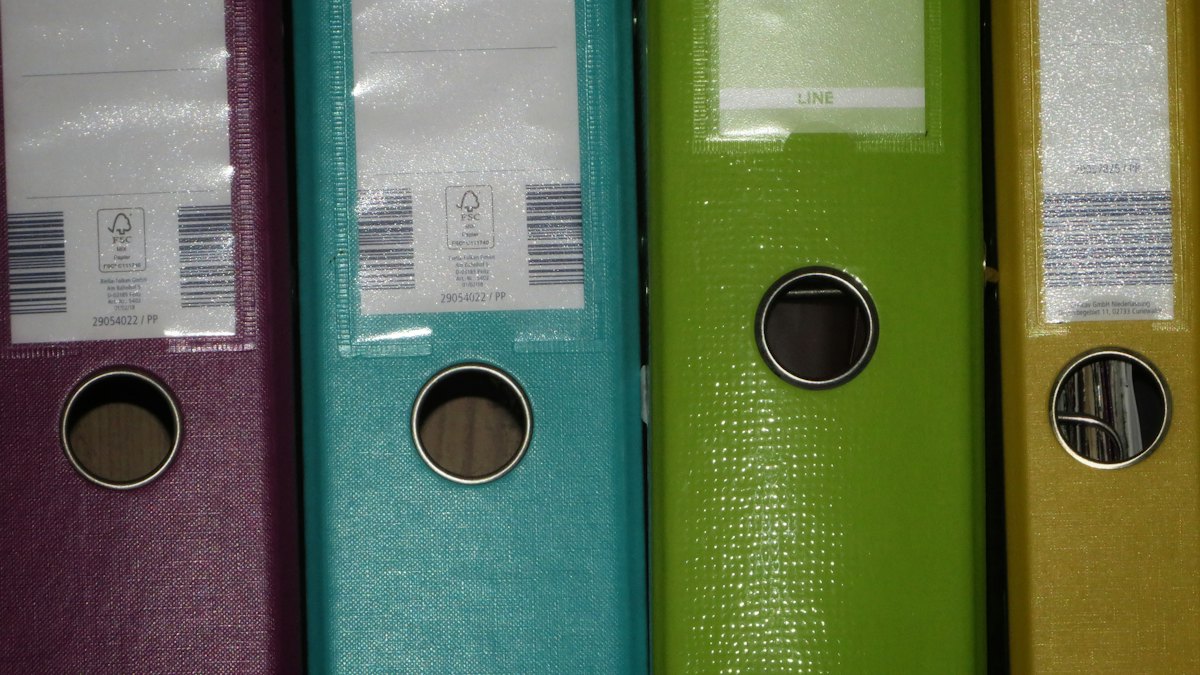
Loose-leaf books of accounts sit in the middle ground between handwritten journals and a full computerized accounting system. You record transactions on a computer, print the journals and ledgers on loose sheets, then bind and register them with the Bureau of Internal Revenue (BIR) once a year. For many growing businesses, it is the simplest way to stop writing books by hand without building a system the BIR has to evaluate.
This guide is for sole proprietors, professionals, partnerships and corporations that already use a spreadsheet or accounting software, and for new businesses deciding which type of books to register. It is also for bookkeepers who handle the year-end binding rush every January.
You'll get a clear comparison of manual, loose-leaf and computerized books, the current Permit to Use (PTU) and Online Registration and Update System (ORUS) process, the documents you need, a realistic timeline and budget, and how the December 31, 2026 e-invoicing deadline affects you. Rules are as of October 2026.
Key takeaways
- A Permit to Use is still required. As of July 2025, the BIR confirmed in RMC No. 65-2025 that taxpayers who choose loose-leaf books must secure a PTU Loose-Leaf Books of Accounts before use. Unlike computerized systems, loose-leaf books were not moved to the Acknowledgement Certificate process.
- The PTU costs nothing in government fees and takes about 3 working days. The BIR Citizen's Charter (2026 edition) lists a total processing time of 3 days and no processing fee for the PTU application. You can file it through ORUS or with BIR Form No. 1900 at your Revenue District Office (RDO).
- You can't get the PTU on the same day as your TIN. RMC No. 65-2025 says the PTU can only be issued after your Taxpayer Identification Number (TIN) exists, so loose-leaf registration can't happen at the same time as your initial BIR registration.
- Bind and register every year within 15 days. Under RMC No. 3-2023, permanently bound loose-leaf books must be registered within 15 days after the end of each taxable year, or within 15 days after closing the business, whichever is earlier. For calendar-year taxpayers, that is January 15.
- Registration is ORUS-only, with a QR stamp. RMC No. 4-2026 (January 15, 2026) made online registration through ORUS mandatory. ORUS generates a QR Code stamp that you affix to the first page of the bound books. Manual RDO stamping is allowed only during an official ORUS outage or with a screenshot of the error.
- Keep books for at least 5 years. The Ease of Paying Taxes (EOPT) Act, RA 11976, set the retention period at five years from the day after the deadline for filing the return for the year of the last entry.
- Loose-leaf books don't make you e-invoice ready. Your book type and your invoicing are separate obligations. If RMC No. 98-2026 covers you, you must issue BIR-compliant electronic invoices by December 31, 2026, whatever books you keep.
Overview
Every person subject to internal revenue taxes must keep books of accounts under Section 232 of the National Internal Revenue Code (NIRC). The BIR recognizes three ways to keep them:
- Manual books: bound columnar journals and ledgers you write in by hand.
- Loose-leaf books: computer-generated or typed journals and ledgers printed on loose pages, then permanently bound at year-end.
- Computerized books (CBA) or a Computerized Accounting System (CAS): books kept and submitted electronically.
Loose-leaf books involve two separate BIR transactions. First, a one-time permit that authorizes the format you'll use. Second, an annual registration of the printed and bound books. Mixing these up is the most common source of confusion.
Manual vs loose-leaf vs computerized books
| Manual books | Loose-leaf books | Computerized books (CAS/CBA) | |
|---|---|---|---|
| What it is | Bound columnar notebooks, written by hand | Books generated on a computer (spreadsheet or software), printed on loose sheets, bound once a year | Books kept in an accounting system and submitted electronically |
| Who can use it | Any taxpayer | Any taxpayer with a TIN, after a PTU is issued | Any taxpayer, after the system is registered |
| Approval before use | None beyond registering the books | PTU Loose-Leaf Books of Accounts (ORUS or BIR Form 1900) | Acknowledgement Certificate (AC) under RMC No. 5-2021, issued within 3 working days of a complete application. No PTU or system demo before use. |
| Registration | Through ORUS before use. New businesses register before the first quarterly or annual income tax return is due, whichever is earlier. | Annual registration of the bound books through ORUS | Annual registration of the computerized books through ORUS |
| Annual submission | None. Register a new book only when the old one is full, or if you choose to start a fresh set. | Bind and register within 15 days after year-end | Register within 30 days after year-end. Keep the printed QR code. |
| Government fee | None | None | None |
| Typical cost | Lowest: notebooks only | Low: printing, binding, notarization, optional software | Highest: software licensing, setup and IT support |
| Effort | High daily effort, low year-end effort | Moderate daily effort, heavy year-end effort | Low daily effort once set up, higher compliance documentation |
| Best for | Very small, low-volume businesses | Growing businesses using spreadsheets or off-the-shelf software | Businesses with high transaction volume or multiple branches |
The CAS and CBA process has its own rules, including system standards and post-evaluation. See our companion guide on the BIR Computerized Accounting System (CAS). For a refresher on what each book records, read bookkeeping basics for Filipino entrepreneurs.
Who does what
| Office or system | What it gives you |
|---|---|
| BIR Revenue District Office (RDO) | Approves the PTU Loose-Leaf (signed by the Revenue District Officer). Accepts manual registration only during ORUS downtime. Handles loose-leaf invoice registration. |
| ORUS (orus.bir.gov.ph) | Online PTU application and the annual registration of bound books. Generates the QR Code stamp. |
| Notary public | Notarizes the sworn statement for the PTU and the annual affidavit for the bound books |
| Bookbinder | Permanently binds the printed pages, usually as hardbound volumes |
| Accredited printer (only if you use loose-leaf invoices) | Prints loose-leaf invoices after you get an Authority to Print (ATP) |
Who loose-leaf books suit
Loose-leaf books work well if you:
- already record transactions in Excel, Google Sheets or off-the-shelf accounting software
- have more entries than you can comfortably write by hand
- don't want to register and maintain a computerized system with the BIR
- are a professional, freelancer, small retailer, service company or startup with one or a few locations
They suit you less if you have many branches, thousands of transactions a month, or plan to issue e-invoices from the same system. In those cases, compare the CAS route.
Timeline
Here is a typical timeline for switching to loose-leaf books, from deciding on the format to making your first entries.
- Update ORUS account and confirm your TIN details1Online, ORUS enrollment if not yet done
- Design book formats and print samples1–3Journals, ledgers and subsidiary books
- Notarize the sworn statement2–3Lists books, invoices and binding commitment
- File the PTU application4ORUS or BIR Form 1900 at the RDO
- BIR evaluation and approval of the PTU4–7Citizen's Charter: 3 days, no fee
- Start recording in loose-leaf format8Only after the PTU is issued
Scale: working days
The timeline assumes complete documents and an RDO working within the Citizen's Charter timeframes. Actual processing varies by RDO, and evaluation may take longer if your sample formats need changes.
The year-end cycle is a second, recurring timeline. For calendar-year taxpayers, it runs on calendar days in January.
- Close the books and print final pages1–7Reconcile cash, sales and payables first
- Bind the printed pages5–10Hardbound, one or more volumes per book
- Sign and notarize the affidavit8–12Completeness of entries and number of loose leaves used
- Register the bound books in ORUS10–15Deadline January 15, then affix the QR stamp
Scale: calendar days
The year-end schedule assumes you have kept your books current during the year. If you're catching up on months of entries in January, start printing in December.
Requirements
PTU Loose-Leaf Books of Accounts (one time)
Per the BIR Checklist of Documentary Requirements (CDR F1100, revised July 2025) and the 2026 Citizen's Charter:
- ORUS account (for online filing), or BIR Form No. 1900, Application for Permit to Use Loose-Leaf Books of Accounts/Invoices and Other Accounting Records (2 originals) for manual filing
- Sample format and print-out of the books of accounts you'll use (1 original)
- Sworn statement (1 original) that: identifies the books, invoices and other accounting records you'll use, with the serial numbers of the principal and supplementary invoices to be printed commits to permanently binding the loose-leaf forms within 15 days after the end of each taxable year or when you stop using them commits to preserving the books and records intact, unaltered and unmutilated for the required period or in case of audit
The revised BIR Form 1900 (October 2025 version) was released through RMC No. 97-2025.
Annual registration of permanently bound loose-leaf books
- Permanently bound loose-leaf books of accounts for the taxable year
- Copy of your PTU Loose-Leaf Books of Accounts
- Affidavit attesting to the completeness, accuracy and correctness of the entries and the number of loose leaves used for the period (1 original)
- ORUS registration, which produces the QR Code stamp for the first page
- BIR Form No. 1905 (2 originals), only if you register manually during an ORUS outage
Additional documents (if applicable)
- Individuals using a representative: Special Power of Attorney and a government-issued ID of both the taxpayer and the representative, each with an original specimen signature
- Corporations and partnerships: Board Resolution or Secretary's Certificate naming the authorized representative, plus an ID of one signatory and the representative
- One Person Corporations (OPCs): a Written Resolution. RMC No. 74-2025 says a Special Power of Attorney can't be used in its place.
- Loose-leaf invoices: a separate PTU for loose-leaf invoices, then an ATP filed through an accredited printer (BIR Form No. 1906)
Watch out: The BIR doesn't process incomplete applications. Under the Ease of Doing Business law (RA 11032), deficient documents are returned, and the clock starts only when your file is complete.
Step-by-step procedure
Step 1: Confirm your TIN and ORUS access
What to do: Make sure your business registration is complete and your TIN has been issued. Log in to ORUS, or enroll if you don't have an account yet. Where: ORUS. What you get: An active ORUS account linked to your TIN. Time: Same day if your email and contact details are already on BIR records. Forms: None, unless you need to update your registration (BIR Form No. 1905).
Remember that the PTU can only be issued after the TIN exists (RMC No. 65-2025). New businesses can register books later. RMC No. 65-2025 also says registering books isn't required at the moment you register the business, but you can't make entries in loose-leaf books before the PTU is approved.
Step 2: Design your book formats
What to do: Prepare the layout of each book you'll keep. Most businesses need a general journal and general ledger. Depending on your business, add a cash receipts book, cash disbursements book, sales journal, purchase journal and inventory book. Each page should show your registered name, TIN, the book title and page numbers. Where: Your spreadsheet or accounting software. What you get: Sample print-outs to attach to your application. Time: 1–3 working days. Forms: None.
Step 3: Prepare and notarize the sworn statement
What to do: Draft the sworn statement listing your books and invoices, your commitment to bind within 15 days after each year-end, and your commitment to preserve the records. Have it notarized. Where: Any notary public. What you get: A notarized sworn statement. Time: Same day to 1 working day. Forms: None prescribed. Follow the CDR F1100 content list.
Step 4: File the PTU application
What to do: Apply online through ORUS, which has offered "Registration of Permit to Use (PTU) Loose-leaf" since January 2023 (RMC No. 12-2023). If you apply manually, submit two originals of BIR Form No. 1900 with the attachments. Where: ORUS, or the Client Support Section of the RDO where you're registered. What you get: A Document Locator Number for manual filings, or an online application record. Time: 1 working day to prepare and submit. Forms: BIR Form No. 1900 (October 2025 version) for manual filing.
Step 5: Receive the PTU and start recording
What to do: Wait for approval. The Revenue District Officer signs either the PTU or a Notice of Denial. When you file through ORUS, the CDR notes that you can download and print the PTU. Where: ORUS or the RDO registration counter. What you get: PTU Loose-Leaf Books of Accounts with a permit number. The same number later appears on your QR stamp. Time: 3 days total processing, no fee (BIR Citizen's Charter, 2026 edition). Forms: None.
Record transactions in the approved format from your first entry. Print pages regularly, for example monthly, so you aren't printing a whole year in January.
Step 6: Bind the books at year-end
What to do: Close the books, print all remaining pages, and have each book permanently bound. Thick books can be split into volumes. Don't use ring binders or clips; the pages must be fixed so none can be added or removed. Where: Any bookbinder. What you get: Hardbound volumes ready for registration. Time: Usually 1–5 working days, depending on the binder and volume of pages. Forms: None.
Step 7: Register the bound books in ORUS
What to do: Sign and notarize the affidavit on completeness and the number of loose leaves used. Then register the bound books in ORUS within 15 days after the end of your taxable year. Print the QR Code stamp and paste it on the first page of each bound book. Where: ORUS. Go to the RDO only if there is an official ORUS outage advisory or you have a screenshot of the error message (RMC No. 4-2026). What you get: A QR Code stamp showing your TIN, registered name, type of book, PTU number and date, quantity, volume number and registration dates. Anyone can scan it to validate it online. Time: Same day if ORUS is working. Forms: BIR Form No. 1905 only for manual registration during outages.
Watch out: If you can't meet the deadline, ask for an extension before it lapses. RMC No. 3-2023 allows extensions by the Commissioner only on a request filed before the 15-day period ends. The BIR has issued blanket extensions for ORUS problems two years in a row (to January 31, 2025 under RMC No. 6-2025, and to January 31, 2026 under RMC No. 4-2026), but you shouldn't plan around another one.
Step 8: Repeat every year and when you close
Repeat steps 6 and 7 each taxable year. If you close the business, bind and register within 15 days after closure if that comes before the year-end deadline. To stop using loose-leaf books while staying in business, you can apply in ORUS to cancel the PTU Loose-Leaf, which RMC No. 36-2023 added in March 2023.
Estimated costs and budget
Costs as of October 2026. Government fees come from the BIR Citizen's Charter and CDRs. Everything else is an estimate that varies by city, supplier and the volume of your books.
| Item | Agency | Estimated cost (₱) | Notes or basis |
|---|---|---|---|
| PTU Loose-Leaf Books of Accounts | BIR | 0 | Citizen's Charter 2026: "Total processing fee: None" |
| Annual registration of bound books | BIR | 0 | CDR F1105B: no fees to be paid |
| BIR annual registration fee | BIR | 0 | Removed by the EOPT Act (RA 11976) starting 2024 |
| Documentary stamp tax (DST) | BIR | 0 | No DST is listed for the PTU or book registration. The ₱30 loose DST in the CDRs applies to the Certificate of Registration, not to books. |
| Notarization of sworn statement (one time) | Notary public | 100–500 (estimate) | Varies by city and notary |
| Notarization of annual affidavit | Notary public | 100–500 per year (estimate) | Varies by city and notary |
| Paper and printing | Your office | 300–3,000 per year (estimate) | Depends on transaction volume |
| Hardbound binding | Bookbinder | 150–600 per volume (estimate) | Most small businesses need 2–8 volumes a year |
| Accounting software (optional) | Software vendor | 0–5,000 per month (estimate) | ₱0 if you use spreadsheets; cloud software subscriptions vary |
| Total, first year (DIY, spreadsheets) | About 1,000–8,000 (estimate) | Government fees are ₱0; the rest is printing, binding and notarization |
Budget to prepare. Government fees for loose-leaf books are zero. Your real costs are notarization, printing and binding, which for most small businesses add up to a few thousand pesos a year. Optional costs are software subscriptions and professional fees. If you hire an accountant or bookkeeping firm to apply for the PTU and handle year-end binding and registration, fees vary widely with transaction volume, so ask for a fixed quote. The biggest hidden cost is time: catching up on unrecorded months in January.
How loose-leaf books interact with e-invoicing
Your books and your invoices are two different compliance tracks. Choosing loose-leaf books doesn't decide whether you must issue electronic invoices.
RMC No. 98-2026, dated September 22, 2026, requires these taxpayers to issue electronic invoices on or before December 31, 2026, except those classified as Micro:
- Taxpayers engaged in e-commerce or internet transactions classified as Small, Medium or Large
- Taxpayers under the Large Taxpayers Service
- Taxpayers classified as Large under the EOPT Act and RR No. 8-2024
- Taxpayers using CAS or CBA with accounting records (with electronic invoicing), and other invoicing software
- Other taxpayers the Commissioner may require
Under RR No. 8-2024, Micro taxpayers have gross sales below ₱3 million a year, Small taxpayers ₱3 million to below ₱20 million, Medium ₱20 million to below ₱1 billion, and Large ₱1 billion and above.
What this means for loose-leaf users:
- If you sell online and are Small or bigger, you're covered, even if your books are loose-leaf.
- If you issue invoices from software, check item 4 carefully. The circular covers "other invoicing software," not just CAS. If your accounting software also generates your invoices, talk to your adviser about whether you're covered.
- Spreadsheet invoices are not e-invoices. RMC No. 98-2026 says invoices made in Word, Excel, Google Docs, Google Sheets or similar applications are not valid electronic invoices.
- Loose-leaf invoices are not e-invoices either. They are printed forms under a PTU and an ATP. If you're covered by the mandate, you'll need a Permit to Issue (PTI) Electronic Invoice.
- If you're not covered, you may keep using manual or loose-leaf invoices, or adopt e-invoicing voluntarily.
Read the full rules in our article on the December 31, 2026 e-invoicing deadline under RMC 98-2026. If you use point-of-sale machines, see our guide to BIR POS and CRM compliance and eSales.
Ongoing compliance
Retention
Under Section 235 of the NIRC, as amended by the EOPT Act, keep your books and accounting records for five years from the day after the deadline for filing the return for the year of the last entry. If you file late, the count starts from the actual filing date. You may still see older guidance quoting a 10-year period; the five-year statutory rule now applies. If you're under audit or have an open case, keep the records until it's resolved.
Audit of books
If your gross annual sales, earnings, receipts or output exceed ₱3 million, Section 232 (as amended by the TRAIN law, RA 10963) requires an independent Certified Public Accountant (CPA) to audit your books every year. Bound loose-leaf books make that audit easier because the CPA can trace your financial statements back to registered records.
Annual checklist
- Print and review pages monthly or quarterly
- Reconcile bank accounts, sales and withholding taxes before closing the year
- Bind and register within 15 days after year-end (January 15 for calendar-year taxpayers)
- Affix the QR stamp to the first page of each bound book
- Store the bound books where they are safe from flood, fire and pests
- Update or cancel the PTU when you change formats or move to CAS
Watch out: Registering your bound books is not the same as filing your annual income tax return. They are separate obligations with separate deadlines.
Advantages
- No system evaluation. You don't have to document a system for BIR post-evaluation, as CAS users do.
- Zero government fees. Both the PTU and the annual registration are free.
- Works with tools you already use. Spreadsheets and most off-the-shelf accounting software can print loose-leaf books.
- Cleaner and faster than handwriting. Totals compute automatically and errors are easier to fix before printing.
- Audit-friendly. Bound, registered, typed books are easier for the BIR and your CPA to review.
Disadvantages
- Year-end crunch. Printing, binding, notarizing and registering all fall within 15 days, often during ORUS slowdowns.
- Paper storage. You keep physical volumes for at least five years.
- Rigid formats. Major changes to your book formats may require an updated PTU.
- Two tracks to manage. You still need separate permits for loose-leaf invoices or e-invoices.
- Not a long-term fit for high volume. Thousands of monthly transactions mean thousands of printed pages. CAS is often more practical at that scale.
Frequently asked questions
Do I still need a Permit to Use for loose-leaf books in 2026?
Yes. RMC No. 65-2025 (July 2025) states that taxpayers who opt to use loose-leaf books must secure a PTU before use. Only computerized systems moved to the Acknowledgement Certificate process under RMC No. 5-2021. You can apply through ORUS or with BIR Form No. 1900 at your RDO.
What is the deadline to submit bound loose-leaf books to the BIR?
Within 15 days after the end of each taxable year, or within 15 days after closing your business, whichever is earlier, under RMC No. 3-2023. For calendar-year taxpayers, that is January 15. Fiscal-year taxpayers count 15 days from the end of their fiscal year.
Can I register loose-leaf books at the RDO instead of ORUS?
Only in exceptional cases. RMC No. 4-2026 requires online registration through ORUS. The RDO accepts manual stamping only if the BIR has issued an advisory on ORUS unavailability or you present a screenshot of the error message you got during online registration.
Can I use Excel for loose-leaf books of accounts?
Yes, as long as the formats match the sample print-outs approved under your PTU and the pages are permanently bound and registered after year-end. Note that invoices made in Excel are not valid electronic invoices under RMC No. 98-2026.
Where do I put the QR code on loose-leaf books?
On the first page of each permanently bound book, per RMC No. 3-2023 and RMC No. 4-2026. The stamp shows your TIN, registered name, type of book, PTU number and registration details, and it can be scanned to validate it online.
How much does it cost to register loose-leaf books with the BIR?
The BIR charges no fee for the PTU or for registering the bound books, and the ₱500 annual registration fee was removed by the EOPT Act. Your costs are notarization, printing and binding, typically a few thousand pesos a year for a small business. These are estimates and vary by city and volume.
How long do I need to keep loose-leaf books?
At least five years from the day after the deadline for filing the return for the year of the last entry, under Section 235 of the NIRC as amended by the EOPT Act. Keep them longer if the year is under audit.
Can a new business use loose-leaf books right away?
Yes, but not on the same day you get your TIN. RMC No. 65-2025 says new businesses don't have to register manual books first, but the PTU can only be issued after the TIN. You can't make loose-leaf entries until the PTU is approved.
How Upcloud can help
We handle BIR registrations end to end, including the PTU for loose-leaf books, ORUS setup and the yearly binding and registration of your books. We can also keep your books monthly so January is a formality, and check whether the e-invoicing mandate covers you. See our business processing and tax compliance services, or contact us for a quote.
References
- Bureau of Internal Revenue. Revenue Memorandum Circular No. 4-2026: Clarification on the Mandatory Registration of Permanently Bound Loose-Leaf Books of Accounts and Computerized Books of Accounts Through ORUS, and Extension of Registration Deadlines. January 15, 2026. https://bir-cdn.bir.gov.ph/BIR/pdf/RMC%20No.%204-2026.pdf
- Bureau of Internal Revenue. Revenue Memorandum Circular No. 3-2023: Policies and Guidelines on the Online Registration of Books of Accounts. January 10, 2023. https://bir-cdn.bir.gov.ph/local/pdf/RMC%20No.%203-2023.pdf
- Bureau of Internal Revenue. Revenue Memorandum Circular No. 65-2025: Clarification on the Registration of Books of Accounts for New Business Registrants. July 2, 2025. https://bir-cdn.bir.gov.ph/BIR/pdf/RMC%20No.%2065-2025.pdf
- Bureau of Internal Revenue. BIR Citizen's Charter, 2026 First Edition (Service 27: Application for Permit to Use Loose-leaf Books of Accounts; Service 17: Registration of Books of Accounts). 2026. https://bir-cdn.bir.gov.ph/BIR/pdf/BIR%20Citizen%27s%20Charter%20%282026%20Edition%29%20final.pdf
- Bureau of Internal Revenue. Revenue Memorandum Circular No. 74-2025: Updated Checklist of Documentary Requirements for BIR Registration-Related Frontline Services. July 18, 2025. https://bir-cdn.bir.gov.ph/BIR/pdf/RMC%20No.%2074-2025.pdf
- Bureau of Internal Revenue. Revenue Memorandum Circular No. 97-2025 (Digest): Availability of the Revised BIR Registration Forms, Including BIR Form No. 1900. October 30, 2025. https://bir-cdn.bir.gov.ph/BIR/pdf/RMC%20No.%2097-2025%20Digest.pdf
- Bureau of Internal Revenue. Revenue Memorandum Circular No. 5-2021: Simplified Policies on the Registration of CAS, CBA and Their Components. January 8, 2021. https://bir-cdn.bir.gov.ph/local/pdf/RMC%20No.%205-2021.pdf
- Bureau of Internal Revenue. Revenue Memorandum Circular No. 12-2023: Online Registration-Related Transactions Through ORUS, Including Registration of PTU Loose-Leaf. January 27, 2023. https://bir-cdn.bir.gov.ph/local/pdf/RMC%20No.%2012-2023.pdf
- Bureau of Internal Revenue. Revenue Memorandum Circular No. 36-2023: Additional ORUS Transactions, Including Cancellation of PTU Loose-Leaf. March 20, 2023. https://bir-cdn.bir.gov.ph/local/pdf/RMC%20No.%2036-2023.pdf
- Bureau of Internal Revenue. Revenue Memorandum Circular No. 6-2025 (Digest): Extension of Deadlines for Registration of Loose-Leaf and Computerized Books of Accounts. January 16, 2025. https://bir-cdn.bir.gov.ph/BIR/pdf/RMC%20No.%206-2025%20Digest.pdf
- Bureau of Internal Revenue. Revenue Memorandum Circular No. 98-2026: Policies and Guidelines on the Issuance of Electronic Invoices. September 22, 2026. https://bir-cdn.bir.gov.ph/BIR/pdf/RMC%20No.%2098-2026%20redacted.pdf
- Bureau of Internal Revenue. Online Registration and Update System (ORUS). https://orus.bir.gov.ph
- Congress of the Philippines. Republic Act No. 11976, Ease of Paying Taxes Act (Section 235, Preservation of Books of Accounts). January 5, 2024. https://lawphil.net/statutes/repacts/ra2024/ra_11976_2024.html
- Congress of the Philippines. Republic Act No. 10963, Tax Reform for Acceleration and Inclusion (TRAIN) Law (Section 232, Keeping of Books of Accounts). December 19, 2017. https://lawphil.net/statutes/repacts/ra2017/ra_10963_2017.html
- KPMG Philippines (R.G. Manabat & Co.). BIR Checklist of Documentary Requirements, revised July 2025 (CDR F1100 and F1105B). 2025. https://assets.kpmg.com/content/dam/kpmgsites/ph/pdf/InTAX/2025/Annex-CDR-2025c.pdf
- Grant Thornton Philippines. EOPT is here: Revised rules on taxpayer classification and reduced penalties for micro and small taxpayers. May 19, 2024. https://www.grantthornton.com.ph/insights/articles-and-updates1/tax-notes/eopt-is-here-revised-rules-on-taxpayer-classification-and-reduced-penalties-for-micro-and-small-taxpayers/